











Customer Data Integration Best Practices: A Complete Guide for Retail Teams
11/08/2026
223
Customer data integration best practices combine a defined data strategy, a single source of truth, and ongoing data quality controls to unify customer records across POS, ecommerce, and support systems. Retailers that follow these practices cut duplicate outreach, reduce compliance risk, and make personalization and loyalty programs actually work.
What Customer Data Integration Is (And Why It Is Harder Than It Sounds)
Customer data integration is the practice of combining customer records from separate systems, point of sale, ecommerce, email, support, and loyalty, into one consistent view of each shopper. It gives every team the same answer to a simple question: who is this customer, and what have they actually bought.
It is harder than it sounds because most retail teams have more disconnected data sources than they realize. A POS system, a Shopify or Magento storefront, an email platform, a support desk, and a loyalty database each capture a piece of the same person, usually under a slightly different name, email, or loyalty ID. Add a new channel, a new store banner, or a new marketing tool without an integration plan, and a repeat customer starts looking like three different people to three different teams.
SupremeTech sees this pattern most often in retailers that grew through acquisition or rapid channel expansion: the data itself is not bad, it is simply scattered, and nobody owns the job of reconciling it.
Teams also frequently conflate customer data integration with a single tool purchase. Buying a customer data platform does not automatically integrate anything; the platform still needs a defined strategy for which systems feed it, how conflicts between two records of the same customer get resolved, and who is accountable when a new sales channel launches without being connected. Integration is a discipline that a tool supports, not a feature a tool provides on its own.
It also helps to separate CDI from data integration in general. A retailer integrates plenty of data that has nothing to do with a specific shopper, inventory counts, supplier pricing, warehouse locations. CDI is the narrower slice focused specifically on the customer entity: making sure every system agrees on who that person is and what has happened with them, even when the underlying data infrastructure also handles a dozen other domains.
Picture a repeat customer who signed up for a loyalty account in-store two years ago using a personal email, then created a second account on the ecommerce site last month using a work email during a rushed checkout. Without CDI, that shopper exists as two separate, half-complete profiles. The loyalty system undercounts their spend and denies them a tier upgrade they have actually earned. The email platform sends them a new-customer welcome series for a brand they have shopped at for two years. Neither system is wrong on its own terms, they are just both missing half the picture, and the customer is the one who notices first.
This is also why CDI tends to surface as a priority only after a retailer has already grown past its first one or two sales channels. A single-store, single-channel business rarely needs it, one system holds the whole picture by default. The need appears the moment a second channel, a second store banner, or an acquired brand enters the picture, which is exactly why fast-growing and multi-banner retailers are the ones most likely to be reading a guide like this one.
CDI vs CDP vs MDM vs ETL: Getting the Terms Straight
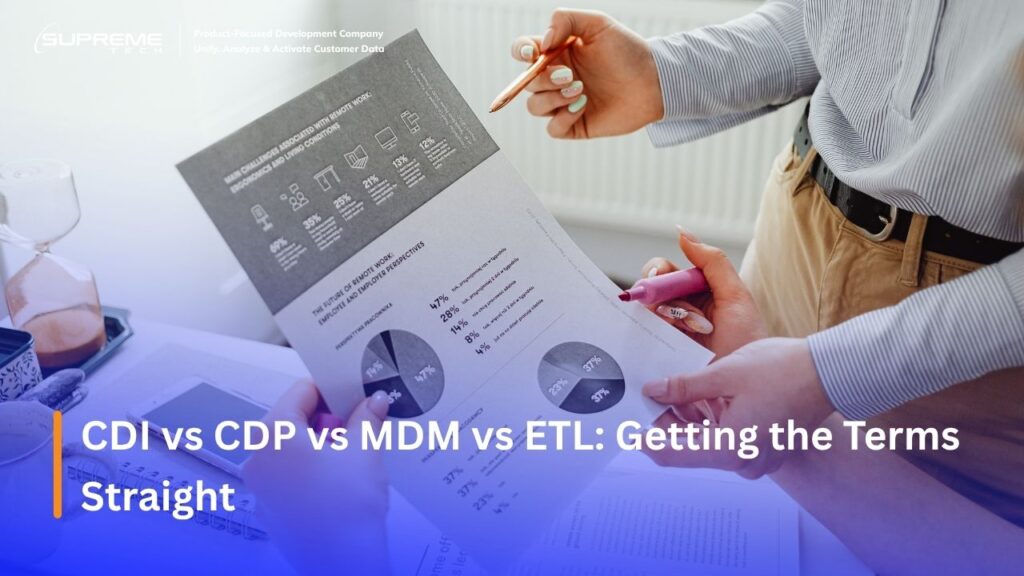
These four terms get used almost interchangeably in vendor marketing, and that is exactly why so many retail teams buy a platform and still do not have integrated data. CDI is the goal. The other three are categories of tools that can help reach it, and most mature retail data stacks eventually use more than one.
| CDI | ETL | CDP | MDM | |
|---|---|---|---|---|
| What it is | A practice and a goal | A tool category | A tool category | A tool category |
| Category | Discipline, not a product | Data movement infrastructure | Customer profile activation | Cross-domain governance |
| Primary job | Unify the customer view across every system | Extract, transform, and load data into a warehouse | Build unified profiles for marketing and personalization | Master the single authoritative record, not just customers |
| Retail example | Making POS, ecommerce, and loyalty agree on one customer | Moving Shopify orders into Snowflake nightly | Segmenting shoppers for a targeted campaign | Resolving three product SKUs and one customer record into one truth each |
In practice, ETL tools feed the raw data in, a CDP activates that data for marketing, and MDM governs the shared definition of what counts as a valid, current customer record. CDI is what happens when strategy, governance, and these tools work together instead of being bought separately and left to operate in isolation. A retailer can pursue CDI with any combination of these, an MDM system, a data warehouse, or a CDP, depending on scale and need. Buying one of them without the other pieces is the single most common reason a CDI project stalls after the kickoff meeting.
A useful way to keep the four terms straight: if someone asks “where does the data live,” that is an ETL or warehouse question. If someone asks “who is allowed to send this customer a campaign,” that is a CDP question. If someone asks “which record is correct when two systems disagree,” that is an MDM question. If someone asks “does every system actually agree on who this customer is,” that is the CDI question, and it is the only one of the four that a single piece of software cannot answer by itself.
The Real Cost (and Reward) of Getting Customer Data Integration Right
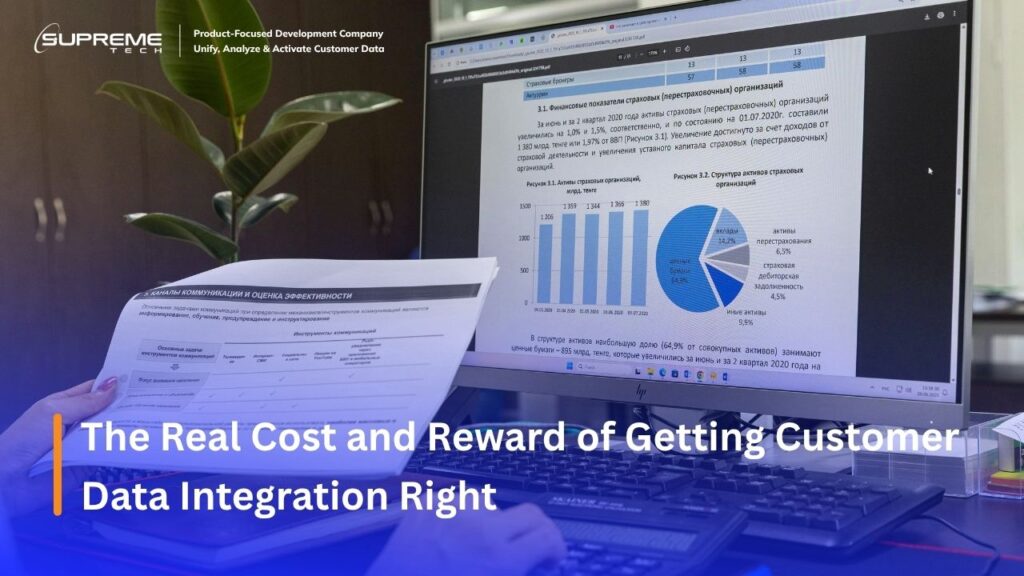
Poor customer data integration is not a back-office inconvenience. It shows up directly in revenue and risk.
Poor data integration is the gap between the data a retailer collects and the data its teams can actually trust and act on.
Gartner’s data quality research has put the average annual cost of poor data quality at roughly $12.9 million per organization, a figure driven by wasted marketing spend, duplicated outreach, and lost sales opportunities rather than any single catastrophic failure. See the full Gartner data quality research. In retail specifically, the cost shows up in four recurring ways.
| Cost driver | What it looks like in retail | Business impact |
|---|---|---|
| Missed personalization | A loyal customer gets a generic “welcome back” offer meant for new shoppers | Lower conversion, weaker perceived relevance |
| Duplicate outreach | The same customer gets two conflicting promo emails from POS and ecommerce lists | Brand trust erosion, higher unsubscribe rate |
| Compliance risk | A deletion request is honored in one system but the customer’s record persists in another | Regulatory exposure under GDPR or CCPA style rules |
| Wasted ad spend | Lookalike audiences built on incomplete purchase history | Inflated acquisition cost, lower return on ad spend (ROAS) |
To illustrate what this looks like in practice, a typical pattern SupremeTech has seen across consolidation projects, not a specific named client, plays out something like this: an apparel retailer with customer records split across three systems finds marketing has been targeting roughly 18 percent of the file as “new” customers who had, in fact, already purchased at least once, a gap that quietly inflates acquisition spend for months before anyone notices it in the numbers. This composite is illustrative of a pattern, not a single client’s exact figures, but the shape of the problem is consistent enough across projects that it is worth naming directly.
There is also a cost that rarely makes it into a spreadsheet: the time a support team spends piecing together a customer’s history from three different screens before they can even start solving the actual problem. Every minute spent reconciling identity before the conversation begins is a minute not spent resolving it, and that drag compounds across every interaction a fragmented retailer handles in a day.
Compliance risk deserves its own line item. Under regulations modeled on GDPR and CCPA, a customer’s right to deletion or access is not satisfied by removing a record from one system while a copy quietly persists in another. Retailers with fragmented data face a structural problem here, not a one-time cleanup: every new disconnected system is another place a “deleted” customer can resurface, and every audit becomes a manual, error-prone hunt across tools that were never designed to talk to each other.
The cost side is only half the picture. On the reward side, McKinsey research on personalization found that companies excelling at it generate 10 to 15 percent more revenue from those efforts than average performers, with company-specific lift ranging as high as 25 percent depending on sector and execution. None of that personalization is possible without integrated data behind it. A retailer cannot personalize a welcome-back offer for a customer its systems still think is new. The cost of poor integration and the ceiling on personalization revenue are the same problem, viewed from two directions.
8 Customer Data Integration Best Practices
These eight practices form the foundation most retailers need before attempting anything more advanced, including real-time syncing.
- Define a clear CDI strategy tied to specific business goals. Integration for its own sake rarely gets funded or finished. Tie the project to a goal a leadership team already cares about, such as cutting duplicate marketing spend or supporting a new loyalty launch, so the scope stays grounded in a measurable outcome. A strategy document that names the goal, the systems in scope, and the metric that proves success is worth writing before any tool gets purchased.
- Break down data silos with a centralized platform. A master data management (MDM) system or a customer data platform (CDP) gives every downstream tool one place to read from. SupremeTech’s customer data integration work for online-merge-offline retailers usually starts here, because nothing else in the list works reliably until this piece is in place. Centralizing does not mean deleting the source systems, it means designating which one wins when two systems disagree.
- Implement data quality controls. Cleansing, validation, and enrichment rules catch malformed emails, duplicate records, and stale addresses before they spread into every system downstream. Build these checks into the pipeline itself rather than relying on a periodic manual cleanup. A validation rule that rejects a malformed email at the point of entry costs far less than finding and fixing ten thousand bad records six months later.
- Establish a single source of truth. Every system should agree on which record is authoritative for a given customer attribute. Without this, teams end up debating whose number is right instead of acting on it. This usually means assigning ownership attribute by attribute: loyalty status might be authoritative in the loyalty platform, while shipping address is authoritative in the ecommerce system, and the integration layer’s job is to keep every other system in sync with whichever source owns that field.
- Build identity resolution across channels. A shopper who buys in-store, browses on a phone, and contacts supported by email needs to resolve to one profile, not three. SupremeTech’s work on a luxury brand’s loyalty data pipeline is a direct example: the project existed specifically to give a Japanese jewelry retailer one structured customer view across online and offline touchpoints, replacing a patchwork of spreadsheets and disconnected exports.
- Keep systems synchronized, real-time where it matters, batch where it does not. Loyalty point redemption at checkout needs near-instant sync; a quarterly marketing segment refresh does not. Retailers that need help drawing that line, especially around complex, high-volume flows, often look at middleware integration for CDI as the connective layer between fast-moving POS data and slower analytics systems.
- Bake in security and compliance from day one. GDPR- and CCPA-style deletion and access requests only work cleanly if every system that touches customer data is part of the same integration plan. Retrofitting compliance after systems are already tangled together is measurably harder than designing for it upfront. This includes deciding, before launch, which team owns responding to a deletion request and how long a full purge across every connected system actually takes. Write that answer down before the first request arrives, not while a regulator’s clock is already running.
- Monitor pipelines and train teams to actually use integrated data. A clean, unified customer view that marketing and store teams do not know how to query delivers none of its value. Pair the technical build with a short rollout plan: what changed, where to find it, and who owns it going forward. The most common failure mode after a successful technical integration is not a broken pipeline, it is a great dataset nobody on the marketing team was ever shown how to use. Budget for a short training session and a one-page reference guide the same way you would budget for the pipeline itself, since without it the return on the entire project depends on people discovering the new capability by accident.
None of these eight practices need to happen in a single project. Most retailers tackle them in roughly the order listed, spending the bulk of the early effort on practices two through four, since silo removal, data quality, and a single source of truth are what make every later practice possible. Trying to build identity resolution or real-time sync on top of three uncoordinated data sources tends to produce a fragile system that breaks the first time a new channel is added.
The most common sequencing mistake is jumping straight to practice five or six because they are the most visible to leadership, identity resolution and real-time sync are the parts a stakeholder can actually see in a demo. Practices two through four rarely get a demo. They look, from the outside, like unglamorous plumbing work. But skipping ahead to build the visible parts on top of an unstable foundation is exactly how a retailer ends up with an impressive-looking dashboard that quietly shows the wrong numbers.
Choosing the Right CDI Tools and Technology
Once the strategy and governance pieces from practices one through four are in place, the technology choice gets much easier, because the requirements are already defined instead of guessed at. Four categories of tools typically make up a retail CDI stack, and most retailers end up using more than one.
- ETL and ELT tools move data from source systems, POS exports, ecommerce order data, support tickets, into a central warehouse or repository. This is the plumbing layer. It does the extracting, cleaning, and loading, but it does not decide what counts as a valid customer record on its own.
- Customer Data Platforms (CDPs) specialize in building persistent, unified customer profiles specifically for activation, campaigns, segments, and personalization triggers. A CDP is the tool most retail marketing teams interact with directly, but it is only as good as the data quality and identity resolution feeding into it.
- iPaaS and middleware connect cloud applications and on-premise systems without heavy custom development, often through webhooks and prebuilt connectors. This is usually the fastest and cheapest way to get a moderate number of systems talking to each other, and it scales down well for retailers who do not yet have the transaction volume to justify a full streaming platform.
- Master Data Management (MDM) systems govern the authoritative version of a record across domains, customers, products, locations, not just customers. For a deeper look at how this discipline works specifically for customer records, see SupremeTech’s guide to customer master data management, which covers governance, data stewardship, and the six practices that keep a master customer record trustworthy over time.
The mistake to avoid is picking the tool before the requirement. A retailer that buys a CDP because a competitor has one, without first defining which systems need to feed it and who owns conflict resolution, ends up with an expensive activation layer sitting on top of the same fragmented data it had before.
A rough rule of thumb for retail teams sizing this out: a handful of systems and moderate transaction volume usually points toward iPaaS or middleware first, since it is fastest to stand up and cheapest to maintain. Dozens of locations, high transaction volume, or multiple systems that all need to reconcile in near-real-time usually justify the heavier engineering cost of a dedicated CDP or streaming platform. Very few retailers need to start at the heavy end, and starting there before the data quality and governance foundation is solid tends to produce an expensive system that still shows the same duplicate customers it was meant to fix.
Common Pitfalls When Implementing Customer Data Integration
- Treating a platform purchase as the finish line. The CDP, MDM system, or data warehouse is infrastructure, not an outcome. Teams that budget for the software license but not for the strategy, governance, and cleanup work around it consistently underdeliver on the original business case.
- Skipping identity resolution and hoping matching fixes itself later. Exact-match rules alone miss the shopper who used a work email in-store and a personal email online. Retailers that defer identity resolution to “phase two” often find that every later practice, personalization, real-time sync, compliance reporting, inherits the same unresolved duplicates.
- Underestimating the cost of retrofitting compliance. Adding deletion and access-request handling after five systems are already tangled together takes meaningfully longer than designing for it from the start, and it usually surfaces at the worst possible time, during an actual regulatory request with a deadline attached.
- Building real-time infrastructure before the foundation is solid. Real-time pipelines moving duplicated or unreliable data just break things faster and more visibly. Speed amplifies whatever is already true about the data underneath it, good or bad.
- Skipping change management. A technically successful integration that store staff and marketing teams were never trained to use produces the same blind spots as no integration at all, just with a bigger software bill attached.
- Measuring the project by the launch date instead of by outcomes. A CDI program that goes live on schedule but never gets measured against the goal defined in practice one tends to quietly decay. Nobody notices duplicate rates creeping back up or a new sales channel launching unconnected, because nobody was assigned to watch for it after the initial rollout wrapped.
Quick Self-Check: How Mature Is Your Customer Data Integration?
Retailers tend to fall into one of three tiers. Being honest about which one applies is the fastest way to decide what to do next.
| Tier | What it looks like | Typical symptom |
|---|---|---|
| Fragmented | Data lives in disconnected systems with no shared identity | Marketing cannot answer “how many unique customers do we have” |
| Centralized but static | Data is unified in one place but refreshed infrequently | Segments and dashboards are usually a few days or weeks stale |
| Integrated and active | Data flows continuously and triggers real actions | Loyalty, personalization, and churn alerts run without manual exports |
Where to Go Next Depending on Your Maturity Level
If you are fragmented, do not start with real-time infrastructure. Start with a single source of truth and basic identity resolution; everything else depends on that foundation being solid first.
If you are centralized but static, the next investment is usually speed. SupremeTech’s companion guide on real-time customer data integration walks through how to decide which flows genuinely need real-time sync versus near-real-time, and what that costs to build.
If you are integrated and active, the highest-leverage work shifts from infrastructure to activation: refining personalization rules, tightening churn-risk alerts, and auditing governance as new data sources get added.
Customer Data Integration for Omnichannel and OMO Retail
Online-merge-offline (OMO) retailers face an amplified version of every problem in this guide. A shopper who browses on an app, buys in-store, and returns an item online is not an edge case, it is the default customer journey, and every one of those touchpoints needs to resolve to the same profile for the experience to feel coherent rather than disjointed.
The stakes are also higher in OMO specifically because the failure is visible to the customer in the moment, not buried in a report someone reviews next quarter. A loyalty balance that disagrees between the app and the register, an online return that a store associate cannot see, a promotion honored on one channel and refused on another, these are the exact friction points that make a unified customer journey feel fragmented, and they all trace back to the same root cause this guide has been describing throughout: systems that were never designed to agree on who the customer is.
SupremeTech’s earlier guide, What is Customer Data Integration (CDI) and why is it essential for OMO retail?, covers the foundational case for why OMO retailers in particular cannot treat online and offline data as separate problems. This guide builds on that foundation with the practices, tooling choices, and maturity framework needed to actually execute on it.
For retailers evaluating what a full omnichannel buildout looks like beyond the data layer, inventory visibility, unified checkout, consistent loyalty across channels, SupremeTech’s omnichannel retail solutions page covers how the customer buying journey gets connected across every digital touchpoint, with customer data integration as the foundation underneath it rather than a separate workstream bolted on afterward.
For teams that want a plainer-language walkthrough of how the underlying pipeline actually works, without the vendor jargon, what a customer data pipeline actually does is written specifically for non-technical marketers who need to understand the system well enough to brief a technical team, not build one themselves.
Conclusion
Customer data integration is not a tool you buy, it is a discipline you build: a defined strategy, a single source of truth, identity resolution across channels, and the governance to keep all of it trustworthy as new systems get added. Retailers that treat it this way avoid the two most common failure modes, buying a platform and calling it done, or chasing real-time speed before the underlying data can be trusted.
Start where your maturity tier says to start, not where the most exciting vendor pitch points. The retailers that get the most value from CDI are rarely the ones with the newest technology. They are the ones who did practices one through four in order before touching anything else.
FAQs Section
Customer data integration is the process of combining customer records from separate systems, such as POS, ecommerce, and support, into one consistent view. It matters because fragmented data leads to missed personalization, duplicate outreach, and compliance risk.
Customer data integration is the practice or process of unifying customer data; a customer data platform is one type of tool that can enable it. A retailer can pursue CDI with an MDM system, a data warehouse, or a CDP, depending on scale and need.
General data integration covers any enterprise data, inventory, supplier pricing, warehouse locations, alongside everything else. CDI is the narrower discipline focused specifically on unifying the customer entity across systems, even when it runs on the same underlying infrastructure as broader data integration work.
Tie the project to a cost the business already feels, such as wasted marketing spend on duplicate or stale records, and use a concrete figure or example, like the cost-of-poor-data-quality research cited above, to make the business case tangible rather than abstract.
No. Real-time sync matters most for use cases like loyalty point redemption at checkout, where a delay is visible to the customer. Batch or near-real-time integration is sufficient for most reporting and marketing segmentation needs.
The largest risks are compliance exposure when deletion or access requests cannot be honored consistently across systems, wasted ad spend from incomplete purchase history, and erosion of customer trust from duplicate or contradictory outreach.