








What is the Customer Data Pipeline? Best Practices for Non-Tech Marketers
16/04/2026
657
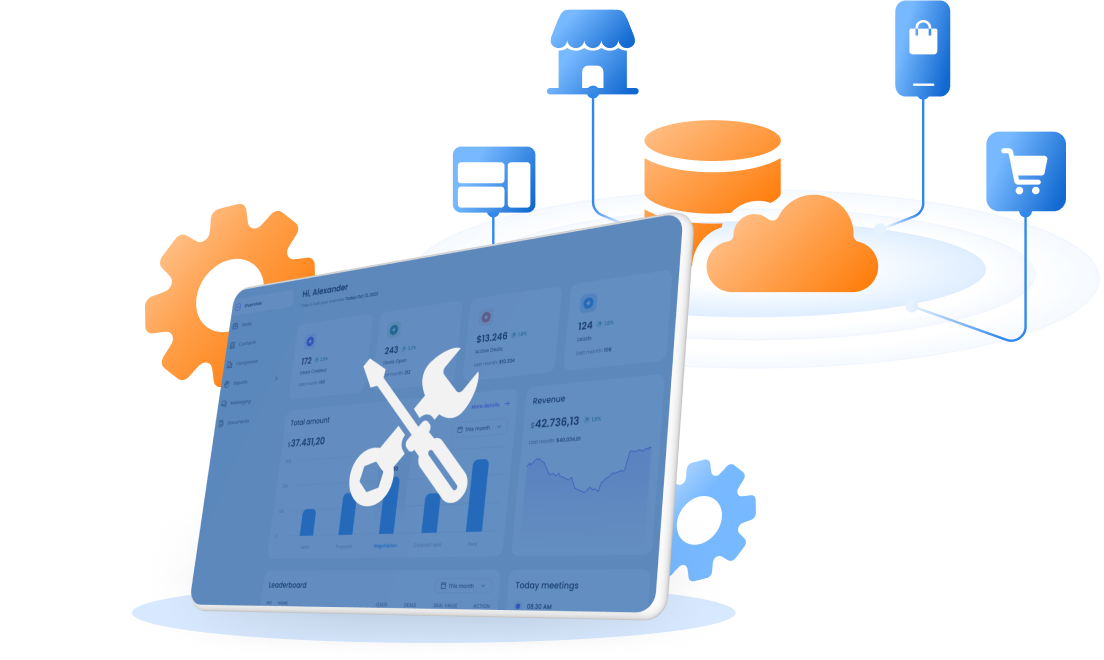
A customer data pipeline is the process that brings customer data from different systems into one usable flow. It takes data from places like store sales, ecommerce, loyalty, apps, and CRM tools, then makes that data ready for marketing, reporting, and customer engagement.
For non technical marketers, this matters for one simple reason. If customer data is scattered, marketing moves slowly. Teams wait for support, build broad audiences, and miss chances to send more relevant campaigns. A strong customer data pipeline helps marketing work with one clearer customer view and act faster with more confidence.
Why non technical marketers should care
Most marketing teams do not struggle because they lack data. They struggle because the data they already have is spread across too many systems.
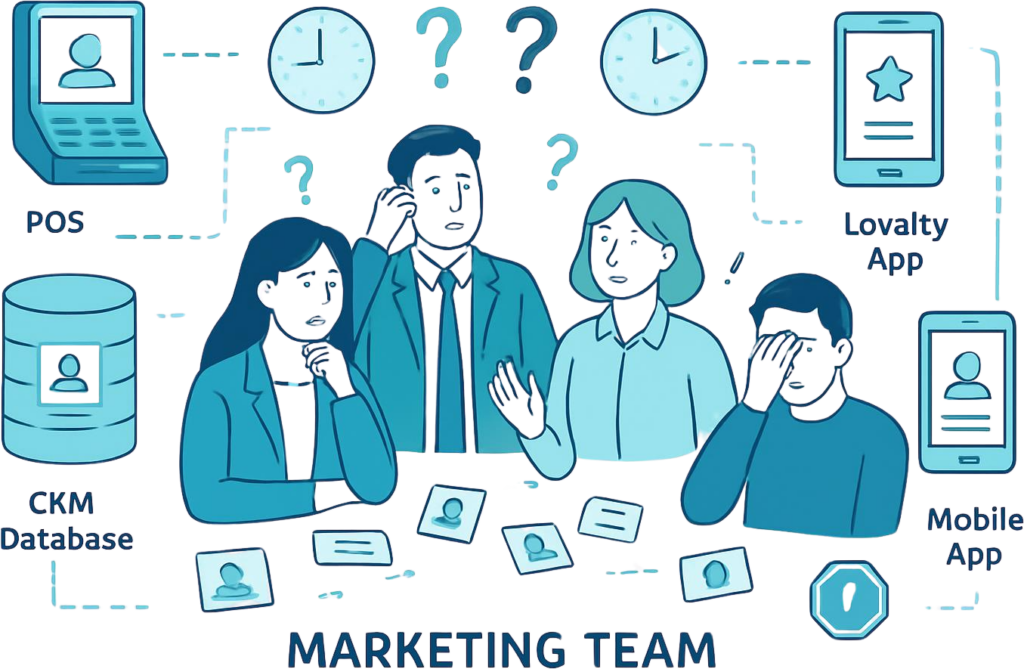
A retail team may have customer data in the store system, the ecommerce platform, the loyalty program, the app, and the email tool. Each one shows something useful. None of them shows the full picture on its own.
This creates a familiar problem. A customer buys in store, browses online, opens the app, and joins the loyalty program. Marketing knows those actions happened. But the team still cannot see them as one customer story. As a result, campaigns are slower to launch and less precise than they should be.
This is why the customer data pipeline matters. It decides whether data stays fragmented or becomes useful.
When the pipeline is weak, teams face the same issues again and again. Segmentation takes too long. Audience requests wait in line. Reports do not match. Personalization stays basic. Budget gets wasted on broad campaigns because the team cannot move fast enough to act on real customer behavior.
When the pipeline is strong, customer data becomes something marketing can use, not just something the business stores.
What a customer data pipeline really is
A customer data pipeline is the path customer data takes from raw inputs to business use.
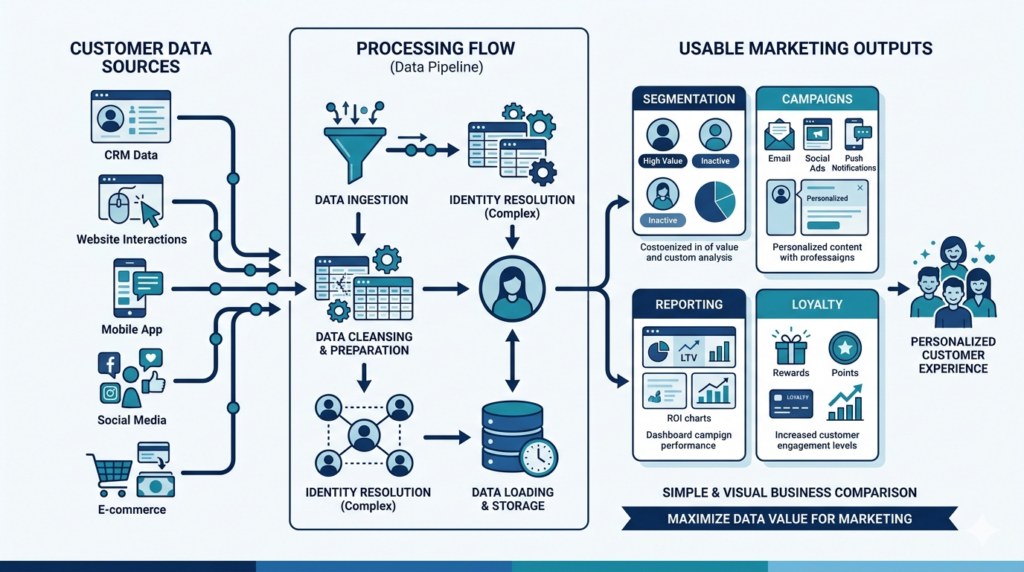
In simple terms, it collects customer data from different sources, stores it, cleans it, connects it, and makes it available for action. That action may be audience building, campaign activation, reporting, loyalty work, or customer analysis.
The key point is this. A customer data pipeline is not useful just because it moves data. It is useful because it makes customer data usable.
That difference matters for business leaders. Many companies already move data between systems. But if marketing still has to wait on technical teams to build a segment or understand a customer group, the data is still not working hard enough.
A good customer data pipeline should help answer questions like these:
- Who is this customer across channels?
- What did they buy recently?
- Are they a loyalty member?
- Have they been active this week?
- Should they receive a repeat purchase campaign, a win back offer, or a loyalty message?
If the pipeline helps the team answer those questions quickly, it is doing its job.
How a customer data pipeline works
A customer data pipeline usually follows a simple business flow.
First, it collects customer data from each important touchpoint. This often includes store transactions, online orders, app activity, loyalty data, email engagement, and customer service history.
Second, it cleans that data. Real customer data is rarely neat. One system may store phone numbers in one format. Another may use a different customer ID. Names, dates, and labels may not match. Cleaning helps create consistency.
Third, it connects records that belong to the same person. This is one of the most important parts. A customer may appear in one system through an email address, in another through a phone number, and in a third through a loyalty ID. The pipeline helps bring those records together.
Fourth, it builds a unified customer profile. This profile should show the customer in a way marketing can use. It should not just be a pile of raw data. It should be a clear view of purchases, behavior, loyalty status, and engagement.
Finally, it sends that data into the tools the business uses for action. That may include campaign tools, segmentation tools, dashboards, or reporting systems.
The process sounds technical, but the outcome is simple. Marketing gets a clearer customer view and can act faster.
Customer data pipeline vs. Customer data platform (CDP)
Many marketers ask about the difference between a customer data pipeline and a CDP. The simplest answer is this.
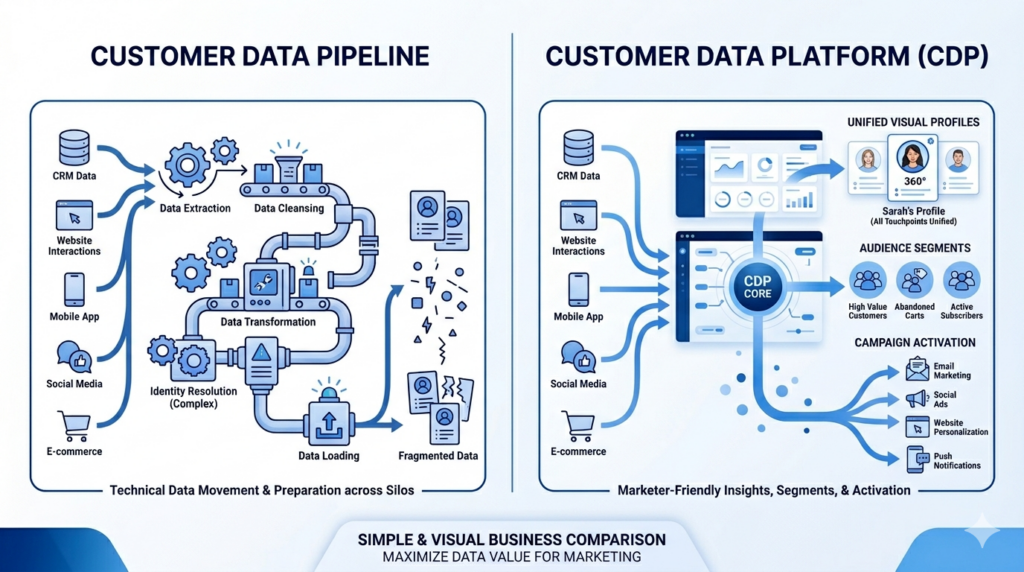
The customer data pipeline handles the flow of data. It brings customer data together and prepares it for use.
A CDP usually sits closer to the business user. It helps marketing see unified profiles, build audiences, and activate campaigns more easily.
In practice, most businesses need both ideas to work together. They need data to be connected, and they need that connected data to be usable.
From a marketing point of view, the distinction is less important than the result. The real goal is not to own a certain category of tool. The real goal is to make customer data easy to use without creating more dependence on technical teams.
What marketers can do with a strong customer data pipeline
When customer data is connected and usable, marketing becomes faster and more relevant.
Better segmentation
One major gain is better segmentation. Teams can build audiences based on real behavior instead of rough assumptions. They can separate first time buyers from repeat buyers. They can identify inactive loyalty members. They can find customers who browse often but have not purchased yet.
Personalization
Another gain is stronger personalization. A team can send offers based on what customers actually do, not just broad campaign calendars. A customer who bought in store last week may get a follow up message tied to that purchase. A shopper who browsed online but did not convert may receive a different offer.
A strong pipeline also helps connect store and digital behavior. This is especially important in retail. Many businesses still treat store and online activity as separate worlds. Customers do not see it that way. They move across channels seamlessly and naturally. Marketing needs to do the same.
It also improves loyalty and retention work. Teams can spot customers who are active but not loyal yet. They can identify people who used to buy often but have gone quiet. They can build better repeat purchase journeys because they have a fuller view of customer timing and value.
Just as important, the team can move with less delay. They spend less time asking for data and more time acting on it.
Signs your current setup is slowing marketing down
Many companies do not notice the customer data problem at first. They notice the business symptoms.
Slow segmentation
One common sign is slow segmentation. If a simple audience request takes days instead of hours, the issue may not be campaign planning. It may be the data setup behind it.
Inconsistent data reporting
Another sign is inconsistent customer reporting. One team pulls a number from the ecommerce system. Another uses the loyalty tool. A third uses CRM. The numbers do not match, and nobody fully trusts them.
Broad targeting
Broad targeting is another warning sign. When teams cannot act on detailed customer behavior, they often fall back on large campaign groups. That may keep campaigns moving, but it also wastes budget and weakens relevance.
Dependence on technical support
A fourth sign is heavy dependence on technical support for routine work. Marketing should not need a long technical process every time it wants to build a practical segment or review a customer group.
A simple retail example makes this clear. Imagine a brand wants to target customers who bought in store in the last 30 days, have not bought online, and are not yet loyalty members. This should be a practical marketing segment. If that request becomes a long internal project, the data setup is holding the team back.
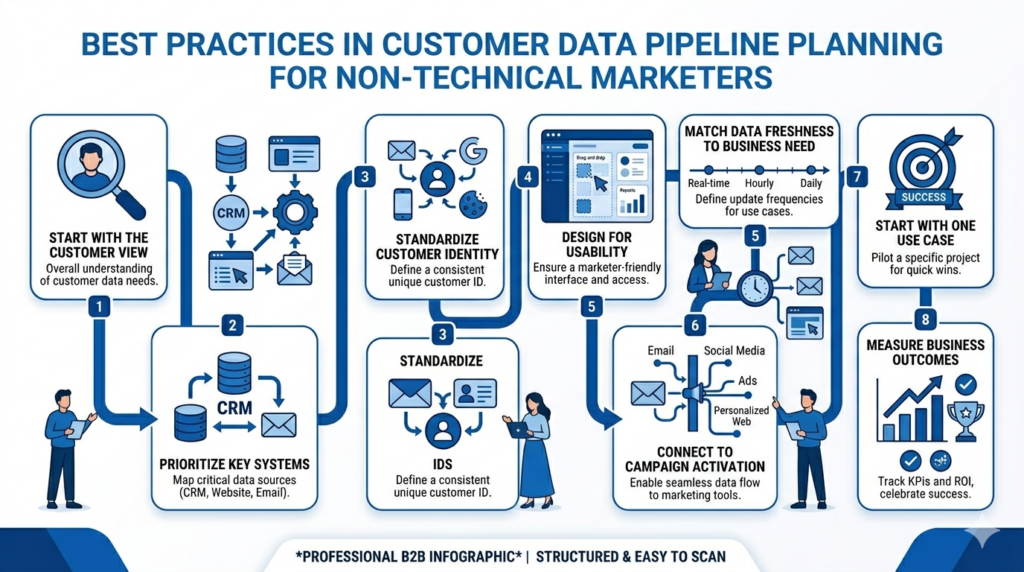
Best practices for marketers without a technical background
The best customer data pipeline is not the most advanced one on paper. It is the one that helps marketing work better.
The first best practice is to start with the customer view you actually need. Do not begin by trying to gather every possible field from every system. Begin with what helps marketing make decisions. This often includes purchase history, recent activity, loyalty status, channel behavior, and engagement signals.
The second is to focus on the data sources that matter most. In many retail businesses, that means store sales, ecommerce, loyalty, app data, and CRM. These sources usually drive the clearest use cases for segmentation and campaign action.
The third is to make sure customer identity is handled early. If the same customer appears differently across systems, the rest of the work becomes weaker. A good customer view depends on good matching.
The fourth is to design for usability. This point matters more than many teams expect. It is not enough to connect the data. Marketing must be able to use it without friction. If only technical specialists can work with the output, the business value stays limited.
The fifth is to match data freshness to the business need. Not every marketing use case needs instant updates. Some do. Others do not. A post purchase journey may need quick signals. A weekly audience refresh may be enough for other campaigns. The right question is not, “Is it real time?” The right question is, “Is it fresh enough for the way we market?”
The sixth is to connect data work to activation and reporting. A unified profile is useful only when it supports action and measurement. Marketing needs to build segments, launch campaigns, and review outcomes with the same logic behind them.
The seventh is to start with one practical use case. A repeat purchase campaign, a loyalty growth program, or a win back journey is often a better starting point than a full transformation promise. Early wins create trust and make the next phase easier.
The eighth is to measure business outcomes, not just data movement. A good pipeline should help improve campaign speed, repeat purchase, retention, loyalty participation, and targeting quality. Those are the results business leaders care about.
What to look for in a customer data management solution
When a business evaluates a customer data management solution, three questions matter most.
First, can it unify customer data into one usable customer profile? This means more than just storing data in one place. It means creating a view that marketing can understand and use across channels.
Second, can marketing use it without depending on engineering for every task? This is often the biggest practical question. A solution may look strong in theory but still create daily bottlenecks if it is hard for marketers to work with.
Third, can it deliver value without becoming a large implementation burden? Business leaders want progress, not a long and costly project with unclear business impact.
A useful solution should help the business move from fragmented records to practical action. It should make segmentation easier. It should support relevant campaigns. It should improve visibility across store and digital channels. And it should do this in a way that fits how marketing teams actually work.
A simple evaluation checklist
A simple test can help marketing leaders assess whether their current setup is ready.
- Can the business connect its main customer data sources in one place?
- Can it match the same customer across store and digital channels?
- Can marketers create useful segments without technical support for every request?
- Is the data fresh enough for the campaigns the team wants to run?
- Can the team measure business outcomes clearly?
- And does the setup reduce bottlenecks instead of adding new ones?
If the answer to several of these questions is no, the issue is not just campaign execution. It is the customer data foundation behind it.
Read related articles about Customer Data Pipeline:
- How to Build a Cloud-Based Customer Data Pipeline for Omnichannel Retail
- Top Rated CDP Solutions for Enterprises: Why Small and Mid Sized Companies Can Benefit Too
Final thoughts
Customer data pipelines should make marketing easier, not harder.
For business leaders, the issue is rarely whether customer data exists. The issue is whether that data is connected, usable, and ready for action. When customer data stays fragmented, marketing slows down. When it becomes usable, teams can segment faster, personalize with more confidence, and connect customer activity across channels.
That is the real value of a strong customer data pipeline. It does not just move data. It helps marketing act on it.
Looking for a partner to handle customer data management?
Customer data work often becomes difficult when systems are old, disconnected, or built for different stages of the business. Retail teams may need to connect ecommerce, POS, loyalty, app, and CRM data, while also dealing with legacy systems, data migration, and integration gaps that slow down marketing and reporting.
SupremeTech supports businesses that need a practical way to build a stronger customer data foundation on cloud. Our team has experience in customer data pipeline design, customer data integration, data migration, and legacy retail system support. We help businesses connect scattered customer data, improve usability across teams, and move toward a clearer customer view that marketing can actually use.
If your team is trying to unify customer data without creating a large internal burden, it may be time to work with a partner that understands both retail operations and execution.