








How to Build a Knowledge Base: Inside SupremeTech’s Internal Wiki Project

Building an internal knowledge base is not mainly about creating more pages. The real challenge is making knowledge easy to contribute, safe to publish, simple to find, and practical to maintain as the organization grows.
SupremeTech built Wiki, a self-hosted knowledge management platform, to bring scattered internal knowledge into one governed system. This case study explains how to build a knowledge base around the complete content lifecycle, from contribution and review to search, maintenance, and user feedback.
Project Overview
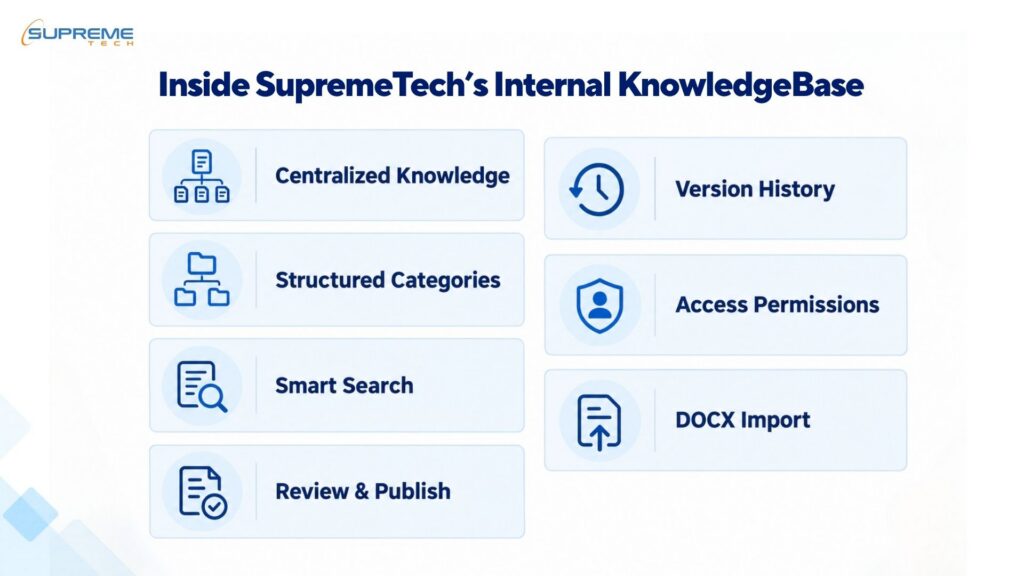
SupremeTech has multiple teams working across different technologies, business areas, and client projects. Valuable knowledge is created every day through technical decisions, project experience, internal processes, and problem-solving. Without a shared system, much of that knowledge can remain inside individual teams, personal files, chat conversations, and disconnected folders.
Wiki was developed as a central place where employees can create, review, organize, publish, find, and maintain internal documentation. The platform is self-hosted, giving SupremeTech control over its data, governance workflow, security, and future development.
The goal was not simply to build a document repository. Wiki needed to support the complete lifecycle of organizational knowledge while remaining practical enough for employees to use regularly.
| Project area | Summary |
| Solution | Self-hosted internal knowledge base |
| Primary users | SupremeTech employees and administrators |
| Core capabilities | Content workflow, version review, multilingual search, DOCX import, analytics and feedback |
| Architecture | Layered monolith with a server-first approach |
| Business purpose | Centralize knowledge and reduce dependence on individuals |
The Problem: Knowledge Was Scattered and Difficult to Trust
SupremeTech teams regularly create technical documentation, internal processes, and lessons from client projects. However, this knowledge was often stored across shared folders, personal files, emails, and chat conversations.
This created six practical problems:
- Information was scattered: Employees had to search across several locations or ask someone where a document was stored.
- Knowledge depended on individuals: Important experience could remain with one employee or team instead of becoming reusable company knowledge.
- Document status was unclear: Readers could not always tell whether information had been reviewed, updated, or approved for use.
- Folder-based search did not scale: Finding the right document became harder as the volume of content increased.
- Contributing required too much effort: Existing Word documents often needed to be reformatted before they could be shared in another system.
- Knowledge quality was difficult to monitor: The company lacked a clear way to identify outdated content, collect feedback, or see which topics depended on too few contributors.
Because Wiki would contain internal technical and operational information, SupremeTech also needed control over user access, data storage, and platform management.
The Solution: Connecting Each Problem to a Practical Capability
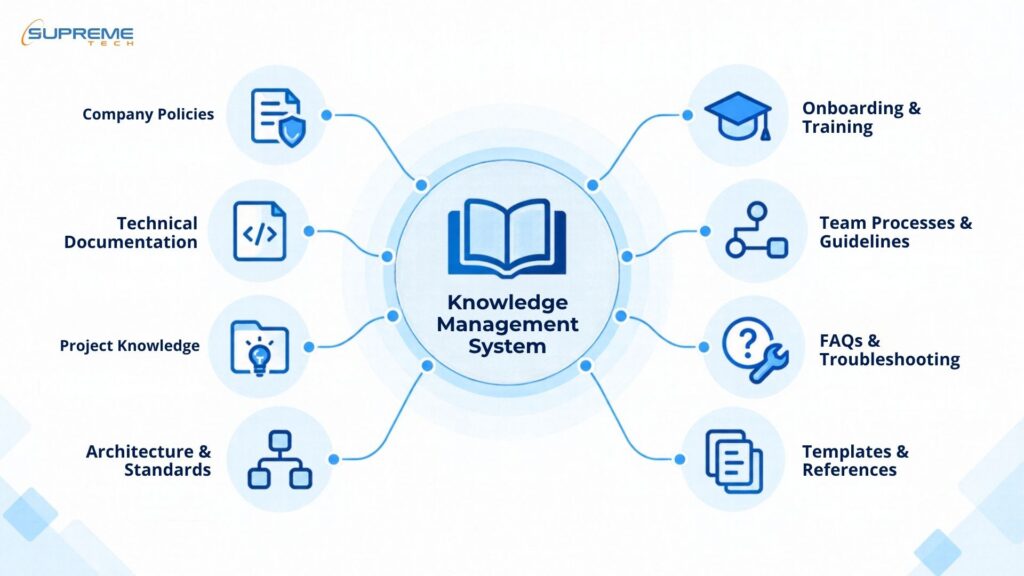
SupremeTech built a self-hosted Wiki in which each core capability responds to a specific internal problem.
| Problem | What Wiki provides |
| Knowledge was scattered across different tools and people | One structured platform for technical documentation, processes, and project knowledge |
| Employees could not identify trustworthy information | A publishing workflow with Draft, In Review, Request Changes, and Published states |
| Updated content could replace approved information too early | Version review that keeps the current published article available until the revision is approved |
| Documents were difficult to find | Multi-level categories, sidebar navigation, breadcrumbs, tables of contents, and full-text search |
| Contributing and migrating documents required too much work | A Markdown editor with image and code support, plus DOCX import for existing Word documents |
| Content quality was difficult to monitor | A dashboard for content freshness, contribution activity, engagement, and contributor concentration |
| Employees lacked a clear feedback channel | A system for questions, error reports, feature suggestions, comments, and voting |
| Internal information required controlled access | Self-hosted deployment, authentication, and role-based permissions |
This structure allows employees to contribute knowledge without publishing unreviewed information. It also gives administrators the tools to organize, protect, and maintain that knowledge over time.
Technical Challenges and How the Team Addressed Them
After defining the product workflow, the team needed to ensure that Wiki continued working reliably as its content and features grew.
- Searching across more content and languages: The team moved search to Meilisearch and configured support for spelling mistakes and multilingual content. A reindexing function can rebuild the search data if it becomes out of sync with Wiki.
- Converting Word documents accurately: Text, tables, and images required different processing during DOCX import. The team added format checks, file-size limits, and clear error messages for documents that could not be converted correctly.
- Showing the latest content: Some pages could continue displaying old information after an update. The team adjusted the caching process so users receive the latest article or category data from their next request.
- Keeping the dashboard responsive: Calculating content and contribution data added more work to the database. The team improved the queries and temporarily stored summary data to reduce loading time and server use.
- Avoiding errors when adding new features: More workflows created more opportunities for one change to affect another part of the platform. The team separated the application into clearer layers and added validation, unit tests, and end-to-end tests for important user flows.
The Results: From Scattered Documents to Managed Knowledge
Knowledge became easier to share across teams
SupremeTech now has a common place for technical documentation, processes, and project experience. Employees no longer need to depend entirely on knowing the right person or remembering the location of a specific file.
This also makes knowledge easier to carry between teams and projects. Information can remain available even when employees change roles or leave the organization.
Published information has a clearer status
Employees can distinguish between work in progress and information that has been reviewed for wider use. Approved content remains available while updates are being checked, reducing the risk of employees following incomplete changes.
The result is a more dependable source of internal information, not simply a larger collection of documents.
Knowledge management became more visible
The team can identify content that may be outdated, topics with limited contributors, and areas where users are requesting help. Problems can be addressed based on platform data and direct feedback rather than waiting until employees stop trusting the documentation.
This gives SupremeTech a clearer process for maintaining knowledge after it has been published.
Existing documents became easier to reuse
Teams can bring Word documents into Wiki without rebuilding every article manually. This lowers the effort required to preserve useful documentation and move it into a more structured system.
SupremeTech gained a practical model for client projects
Building Wiki gave SupremeTech direct experience with the product, technical, and operational decisions involved in creating a knowledge base. This includes content governance, document migration, multilingual search, access control, analytics, testing, and self-hosted deployment.
Every organization manages knowledge differently. SupremeTech can use this experience to help businesses define their own content structure, user roles, approval process, integrations, security requirements, and infrastructure before developing the right solution.
These results are currently based on confirmed changes to the way knowledge is managed. Quantitative claims such as hours saved or productivity improvements should only be added after sufficient usage data has been collected.
What We Learned About How to Build a Knowledge Base
The Wiki project showed that a useful knowledge base cannot be designed as a generic collection of pages. It must reflect how the organization creates, reviews, searches, protects, and maintains knowledge.
Start with the business workflow
The first step is to understand where knowledge currently exists and how employees use it. The solution should then define who can contribute, who approves content, and how published information is updated.
These rules are different for every organization. A technical company may need code blocks, version comparison, and multilingual search, while another business may prioritize policies, onboarding materials, or compliance documents.
Make contribution and discovery equally simple
A knowledge base will not grow if employees find it difficult to contribute. It will also lose value if readers cannot quickly find what has already been documented.
Editors, document import, navigation, and search should therefore be designed as parts of the same experience. The goal is to make sharing knowledge easy while keeping the published content organized and trustworthy.
Plan for maintenance from the beginning
Publishing an article is not the final step. Content can become outdated, ownership can change, and important topics can remain dependent on a small number of people.
Review workflows, freshness indicators, contributor data, and user feedback should be included from the beginning. These capabilities help the organization maintain the quality of its knowledge as the amount of content increases.
Build around the organization, not the software
Standard software may be suitable when a company only needs basic pages and search. A custom solution becomes more relevant when the business requires specific approval workflows, data control, internal integrations, document migration, multilingual content, or specialized analytics.
SupremeTech can help businesses define these requirements and turn them into a knowledge base that fits their existing operations. Our experience covers product planning, user workflows, technical architecture, development, testing, deployment, and long-term improvement.
If your organization is exploring how to build a knowledge base around its own processes, talk to SupremeTech about a custom software solution.
Technology Stack
Architecture: Layered Monolith, server-first
Frontend: Next.js 16, React 19, TypeScript 5.9
Content: Markdown Editor, React Markdown, GFM, syntax highlighting
Backend: Node.js 22, Next.js App Router, REST API

Tech Stack
Platforms
Development Languages