









Shopify Storefront API and PWAs: When a Headless Storefront Is Worth Building
04/01/2024
2.17k
Every additional second a page takes to load costs conversions, and the relationship is not gentle. A 2025 analysis of ecommerce sites found stores loading in one second converting at roughly 3.05 percent on average, while stores taking five seconds converted at just 1.08 percent, nearly a threefold difference driven entirely by load time. Separately, a Google and Deloitte study across 30 ecommerce sites found that a 0.1 second improvement in load time drove an 8.4 percent increase in conversions. At that sensitivity, storefront performance is not a technical nicety, it is directly tied to revenue.
A standard Shopify theme, even a well-optimized one, has a performance ceiling built into how Liquid templating renders pages. The Storefront API removes that ceiling by letting a business build its own frontend entirely, commonly as a Progressive Web App, while Shopify continues to run the commerce backend underneath it. This guide covers what that actually involves, what the real performance data shows, and how to know whether your store is a good candidate.
Why Speed Matters Even More Now
The traffic arriving at a storefront has changed in a way that makes load time more consequential, not less. A growing share of ecommerce traffic now arrives through AI-assisted shopping journeys, a customer asking an AI assistant for a recommendation and clicking through directly to a specific product, rather than browsing a homepage and navigating in. That traffic arrives with unusually high purchase intent and unusually little patience, since the customer has already done the comparison and research an AI assistant just handled for them, and a slow-loading product page is now the single biggest thing standing between that high-intent visit and a completed sale. The old assumption that slow load time quietly costs some percentage of conversions still holds, but the newer, higher-intent traffic mix raises the cost of getting storefront performance wrong.
What the Shopify Storefront API Actually Is

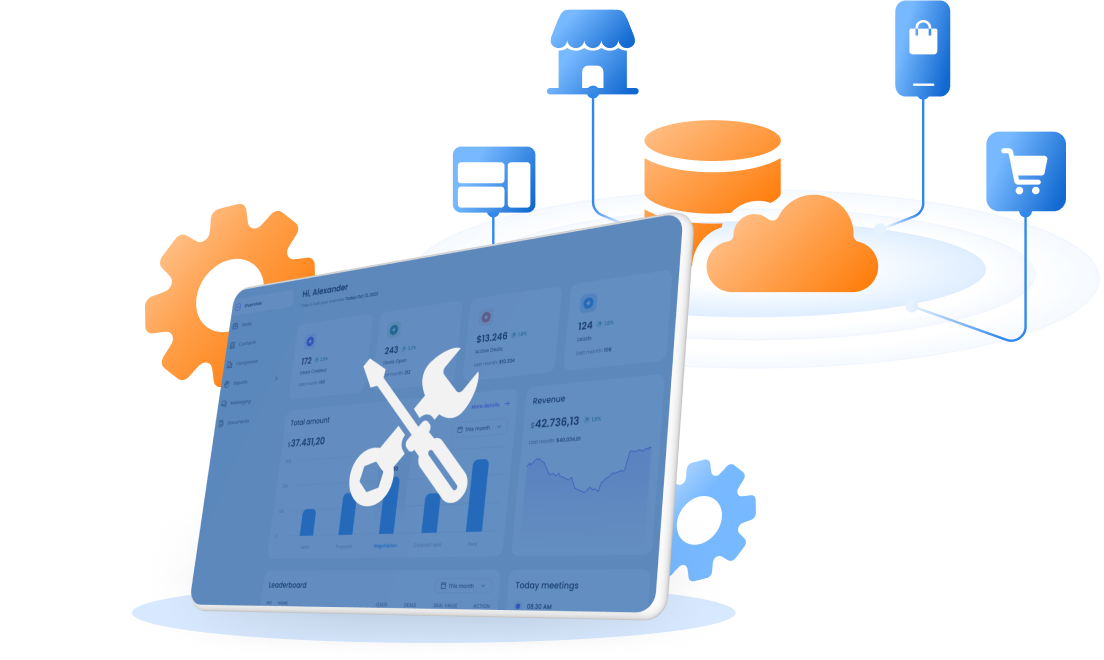
The Storefront API is a GraphQL API that exposes a store’s product catalog, collections, cart, checkout, and customer account data to any custom-built frontend, independent of Shopify’s own theme system. Where a standard Shopify theme renders pages using Liquid, Shopify’s templating language, a storefront built on the Storefront API can be built in any modern frontend framework, commonly React through Shopify’s own Hydrogen framework, or Next.js, while Shopify continues to handle the commerce logic: inventory accuracy, pricing, discounts, payment processing, and order management stay exactly as they are on a standard Shopify store.
Technically, the API returns a maximum of 250 products per request and uses cursor-based pagination for larger catalogs, which matters for how a headless frontend is architected, a store with a 10,000 SKU catalog needs roughly 40 sequential paginated calls to retrieve the full catalog at build time, a detail that shapes how product data gets cached and served rather than fetched fresh on every request. Because it is GraphQL rather than a traditional REST API, a frontend can request exactly the fields it needs for a given page and nothing more, which is part of why GraphQL-based storefronts tend to move less data over the network per page than older API patterns.
The API covers the full range of what a storefront needs to function: product and collection data including variants and metafields, cart creation and modification, checkout initiation, and customer account access including order history. What it deliberately does not cover is the commerce logic itself, inventory accuracy, tax calculation, payment processing, and fraud detection all remain Shopify’s responsibility running behind the API, regardless of how the frontend consuming that API is built. This division is precisely what makes headless a manageable scope of work rather than an all-or-nothing platform migration, a business rebuilding its frontend is not simultaneously rebuilding its payment processing or inventory management.
What a PWA Built on the Storefront API Actually Enables
A Progressive Web App is a website built to behave like a native mobile app: it can be added to a customer’s home screen, it can continue functioning, at least for browsing, when a connection drops, thanks to service workers caching content locally, and it can send push notifications the same way a native app can, without requiring an App Store or Play Store install. Built on top of the Storefront API, a PWA gets these app-like capabilities while still pulling live product, pricing, and inventory data from Shopify underneath.
The practical benefits show up most for mobile-heavy traffic. Pre-rendering critical pages at build time or the edge, controlling exactly what gets cached client-side, and removing Liquid’s templating constraints all combine to let a PWA hit Core Web Vitals targets a theme-based store typically cannot reach, particularly on the mobile networks where a meaningful share of Shopify traffic actually arrives.
Signs Your Store Has a Genuine Performance Ceiling
Before scoping a headless project, it is worth confirming the problem is real and measured rather than assumed. The signs below distinguish a store that has actually hit Liquid’s limits from one that would benefit more from theme optimization first.
- Core Web Vitals scores remain poor even after standard optimization: compressed images, minimal app installs, a lean, well-coded theme
- Page load time increases noticeably during traffic spikes, promotional events, or peak shopping periods
- A specific design or interaction requirement, complex product configurators, unconventional navigation, real-time personalization, cannot be built within Liquid’s templating constraints
- The business needs to power more than one customer-facing surface, web, a native mobile app, an in-store kiosk, from the same product data
- Engineering has already profiled the theme’s performance and identified the rendering pipeline itself, not a specific app or asset, as the bottleneck
A store missing most of these signs is very likely better served by theme optimization, which is faster to implement, lower risk, and does not require taking on a new frontend codebase to maintain indefinitely.
Common Headless Migration Mistakes
- Going headless before exhausting theme optimization. Image compression, app audit, and a genuinely fast Online Store 2.0 theme resolve most performance complaints without the cost and complexity of a full headless rebuild.
- Underestimating ongoing maintenance. A headless storefront is a real piece of software the business now owns, security patches, dependency updates, and browser compatibility do not disappear after launch the way they do with a Shopify-maintained theme.
- Rebuilding the checkout unnecessarily. Shopify’s hosted checkout is fast, secure, and optimized by Shopify directly. Most headless projects should continue using it rather than attempting a fully custom checkout, which introduces PCI compliance and security scope most businesses are not equipped to own.
- Treating the launch as the finish line. Performance gains from a headless migration depend on how well the new frontend is maintained afterward, since a poorly maintained custom codebase can degrade back toward, or below, theme-level performance over time.
Measuring Success After Launch
The metrics worth tracking after a headless launch are the same ones that justified the investment in the first place, measured before and after on a like-for-like basis. Core Web Vitals, particularly Largest Contentful Paint and Interaction to Next Paint, should show a clear, attributable improvement. Conversion rate should be compared across a comparable traffic mix and time period, not against a single promotional week that would skew the numbers regardless of storefront performance. Bounce rate and exit rate, as seen in the ILIA case study referenced earlier, are useful secondary signals that a faster, better-designed storefront is actually keeping visitors engaged rather than simply loading faster without changing behavior.
Traditional Theme Storefront vs. Headless PWA Storefront
| Consideration | Traditional Theme Storefront | Headless PWA Storefront |
|---|---|---|
| Performance ceiling | Constrained by Liquid’s rendering pipeline | Full control over rendering, caching, and edge delivery |
| Development speed for simple changes | Fast, theme editor and app blocks | Slower, requires custom development for most changes |
| Offline browsing capability | Not available | Available via service workers |
| Design flexibility | Limited to theme structure and app compatibility | Fully custom, no theme constraints |
| Ongoing maintenance | Low, Shopify maintains the theme runtime | Higher, the business owns the frontend codebase |
| Best fit | Most stores, especially under high-traffic thresholds | High-traffic stores hitting a genuine performance ceiling |
Core Web Vitals: What “Fast Enough” Actually Means
Performance conversations often stay abstract, faster is better, without a concrete benchmark for what counts as fast enough. Google’s Core Web Vitals give a specific, measurable target, and checking a current store against them is a more useful diagnostic than a general impression of whether the site feels slow.
| Metric | Good | Needs Improvement | Poor |
|---|---|---|---|
| Largest Contentful Paint | 2.5s or less | 2.5s to 4s | Over 4s |
| Interaction to Next Paint | 200ms or less | 200ms to 500ms | Over 500ms |
| Cumulative Layout Shift | 0.1 or less | 0.1 to 0.25 | Over 0.25 |
A theme-based store scoring in the poor range across multiple metrics, despite genuine optimization effort, is a much stronger signal for considering headless than a general sense that competitors’ sites feel snappier. A store already scoring well within the good range on a standard theme has little to gain from a headless migration on performance grounds alone, whatever other reasons might still apply.
What the Performance Data Actually Shows

Headless and PWA performance claims circulate widely, and it is worth being precise about which figures come from independent research versus vendor case studies, since both are useful but answer different questions.
Shopify’s own testing across roughly 200,000 stores found that GraphQL-powered storefronts, the pattern the Storefront API uses, render pages on average 1.8 times faster than comparable REST-based approaches. Agencies building headless Shopify storefronts commonly cite 2 to 5 times faster load times than Liquid themes and Lighthouse performance scores above 90, compared to 60 to 75 for typical theme-based stores. These figures are vendor-published rather than independently audited, and they reflect projects where headless was already the right architectural call, so they should be read as a realistic ceiling for a well-executed project, not a guaranteed outcome for any headless migration.
Individual brand results add useful specificity. ILIA, a clean beauty brand that moved to a headless build on Shopify Plus, reported an 18 percent reduction in exit rate and a 10 percent improvement in bounce rate after launch, alongside development deployments running roughly 20 percent more efficiently, according to Shopify’s own published case study on the project.
What Building and Maintaining a Headless Storefront Actually Requires

Beyond the initial build, a headless storefront needs an ongoing frontend engineering capability the business did not need with a standard theme. This typically means either an in-house frontend team comfortable with React or a similar framework and GraphQL, or a standing relationship with a development partner who can handle updates, dependency maintenance, and new feature work as the business’s needs evolve. Marketing teams accustomed to making changes directly through Shopify’s theme editor should expect a different workflow after a headless migration, most changes, even ones that would have been a quick theme edit previously, now require a development request and a deployment, unless the headless build specifically invests in a content layer that gives marketing similar self-service control.
This tradeoff is often underestimated during the planning phase, since the performance and design benefits are the visible, exciting part of a headless pitch, while the operational shift, more development dependency for day-to-day changes, is the less visible cost that shows up months after launch. Scoping this honestly with whoever will be requesting frontend changes after launch avoids a mismatch between expectations and how the new system actually operates day to day.
When Headless Is the Right Call, and When It Isn’t
The honest case against headless matters as much as the case for it. A standard Shopify theme, properly optimized, image compression, minimal app bloat, a fast theme built on Online Store 2.0, handles the large majority of stores well within acceptable performance ranges. Headless development trades that simplicity for genuine engineering ownership: a dedicated frontend codebase, its own deployment pipeline, and ongoing maintenance that does not disappear once the initial build ships.
The businesses that get real value from headless tend to share specific traits: traffic volume high enough that a theme’s performance ceiling is a demonstrated, measured problem rather than a theoretical one, a design or interaction requirement Liquid genuinely cannot support, a need to power more than one channel, web, a mobile app, an in-store kiosk, from the same underlying product data, or complex ERP, CRM, or PIM integrations that benefit from a custom API layer rather than working around a theme’s constraints. Research on headless migration triggers puts performance ceilings and channel flexibility behind roughly 80 percent of the decisions to go headless in the first place, which tracks with the pattern above: it is a response to a specific, felt limitation, not a default upgrade every growing store should pursue.
A Real Storefront Build: Makuake STORE
SupremeTech’s work on Makuake STORE, a mall-type storefront on Shopify Plus reflects the kind of storefront complexity that pushes a build toward custom development. A mall-type storefront, hosting multiple brands or product lines under a single unified shopping experience, is exactly the kind of requirement a standard single-brand theme is not built to support cleanly, and it is the sort of project where the Storefront API’s flexibility to build a custom browsing and navigation experience, while Shopify continues handling the underlying commerce data, becomes a genuine requirement rather than an optional performance upgrade.
A multi-brand storefront surfaces exactly the kind of navigation and merchandising logic, letting a shopper browse across brands within one unified experience while still checking out through a single cart, that a standard theme is not designed to express. Building that experience custom, on top of the Storefront API rather than working around a theme’s single-brand assumptions, is the difference between a storefront that genuinely fits the business model and one that approximates it with workarounds.
This is the kind of work SupremeTech’s Shopify development services cover directly: custom storefront architecture built around a specific business requirement, not a generic headless template applied regardless of whether the store’s traffic and complexity actually justify it.
Read related articles:
- Shopify Custom App to Streamline Loyalty Data Pipeline of A Luxury Jewelry Brand
- Build Custom Apps for Shopify in The Japanese Market
- Shopify Order Tracking App for The Food Industry
- Offline-to-Online Commerce with Shopify Plus
- Makuake STORE – A Mall-Type Store on Shopify Plus
Budgeting for a Headless Storefront Project
Headless storefront projects run meaningfully longer and cost more than a theme customization, and the difference is almost entirely in ongoing ownership rather than the initial build alone. A mid-complexity headless build, a single-brand storefront on Hydrogen with standard product and cart functionality, is realistic in the 8 to 16 week range. A complex build, a multi-brand or mall-type storefront, deep ERP or PIM integration, or custom checkout extensions, commonly runs 16 to 30 weeks or more. Budgeting should also account for the frontend team that will maintain the storefront after launch, since a headless build removes Shopify’s own theme maintenance but does not remove the need for maintenance entirely, it simply moves that responsibility to whoever owns the custom codebase.
Hitting a performance ceiling with your current Shopify theme, or considering a custom storefront build? SupremeTech’s Shopify development team builds headless storefronts sized to what your traffic and complexity actually require.
Talk to SupremeTech about your storefront →
Frequently Asked Questions
No. The Storefront API can power any custom frontend, a PWA, a native mobile app, a kiosk interface, or a headless website that is not specifically built as a PWA. PWA capabilities, offline browsing, home screen installation, push notifications, are an option a headless storefront can add, not a requirement of using the API itself.
No. Shopify continues to handle products, inventory, cart, checkout, payments, and order management exactly as it does for a theme-based store. Headless changes only how the frontend is built and rendered, not which platform runs the commerce backend.
Vendor-published figures commonly cite 2 to 5 times faster load times and Lighthouse scores above 90, versus 60 to 75 for typical themes. These are not independently audited figures, and actual results depend heavily on execution quality, but Shopify’s own testing found GraphQL-based storefronts render roughly 1.8 times faster than REST-based approaches on average.
Hydrogen is Shopify’s own React-based framework purpose-built for headless storefronts on the Storefront API, paired with Oxygen for hosting. It is not required, a headless storefront can also be built with Next.js or another framework, but Hydrogen offers out-of-the-box integration with Shopify’s APIs and built-in performance patterns.
Usually not, unless a specific performance ceiling or design limitation has already been identified. Most small and mid-sized stores are well served by a properly optimized standard theme, which requires far less ongoing engineering investment than a custom headless build.
The API returns a maximum of 250 products per request, so larger catalogs require cursor-based pagination, making multiple sequential calls to retrieve the full catalog. This affects how a headless frontend caches and serves product data, typically at build time or through incremental regeneration, rather than fetching the entire catalog fresh on every page load.